Beginner's Guide ⑧ Everything About the Philippines eARRIVAL CARD
Hello, this is Awork Academy. Until now, the electronic health declaration for entering the Philippines was submitted through One Health Pass, but did you
Free Consultation3 min read / Published: 2026-03-11
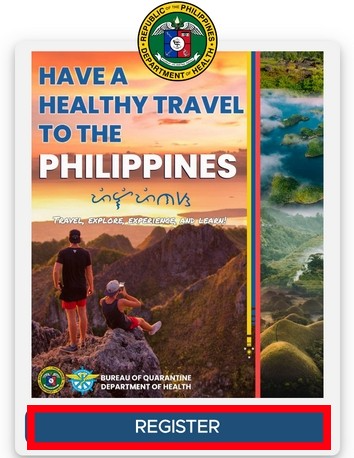
was submitted through One Health Pass,
but did you know that from October 17, it has been changed to the “eARRIVAL CARD”?
When entering the Philippines, you must fill out this eARRIVAL CARD.
This is not a document for immigration screening, but a health declaration submitted to the quarantine authorities.
It has been simplified compared to the previous procedure, and the information you need to enter is basically not very different from before. Please check today's post carefully and be sure to complete it before departing for the Philippines.
eARRIVAL CARD Checkpoints
Can be registered from within 72 hours before departure (flight boarding time)
Registration is free
Required for everyone regardless of age, gender, nationality, or vaccination status
Can be created from either a computer or a smartphone
Fill in all required fields in English
The QR code cannot be reused
※If the date changes, you must register againThose required to submit a negative test certificate should register after the certificate is issued
Once you complete the input and submit, a QR code is issued, and you can use a screenshot of the screen
The above are the essential checkpoints for the eARRIVAL CARD.
Once you've confirmed everything, please access the link below to create it.
eARRIVAL CARD Official Website
https://onehealthpass.com.ph/
1. Go to the site above and click the “Register” button
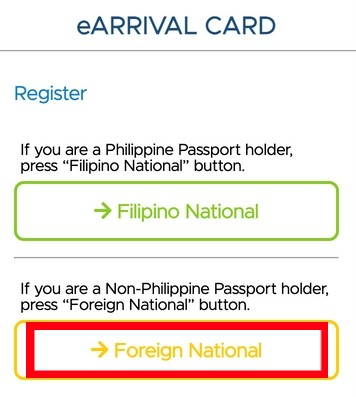
2. Japanese nationals should select “Foreign National”
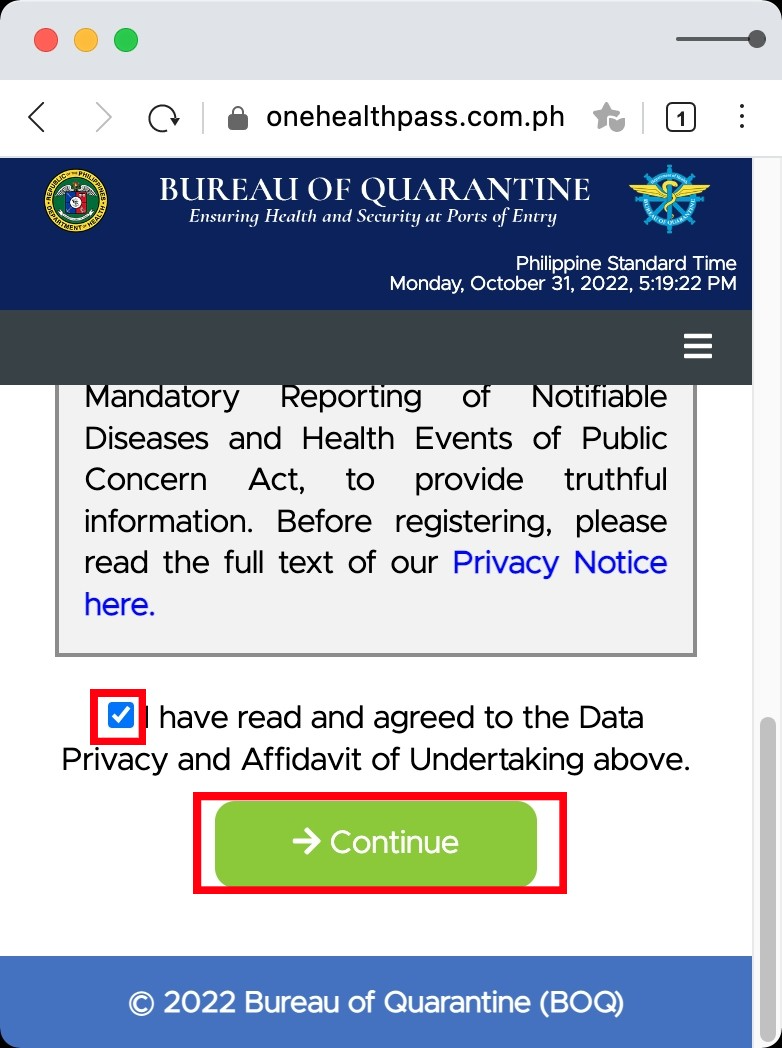
3. Check the checkbox and click “Continue”
※This confirms that the information entered is accurate and agrees to the verification of personal information by the quarantine authorities.
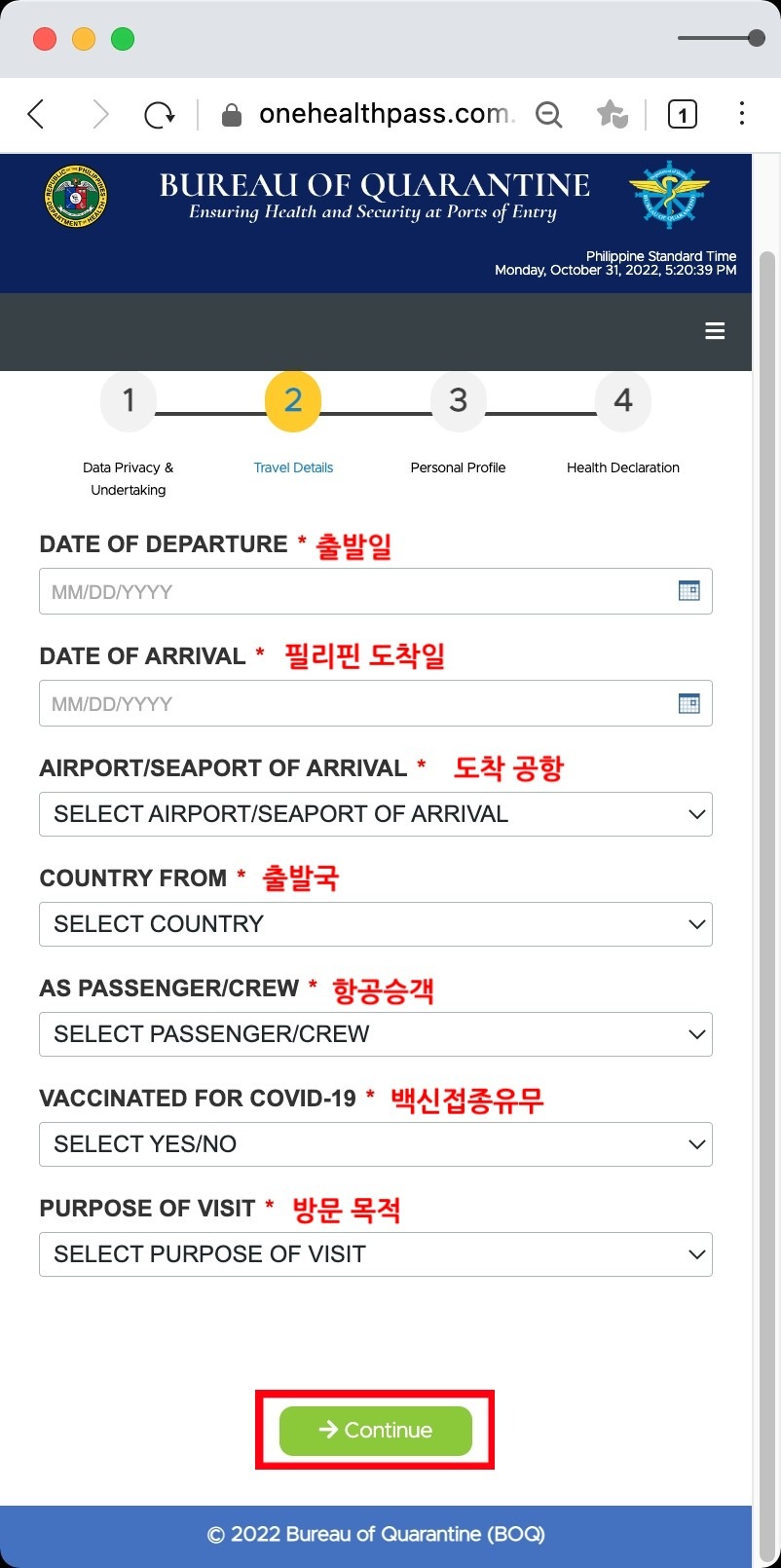
4. Enter flight information and vaccination status
Please fill in this section accurately while checking your plane ticket.
Since you are traveling by air, select “AIRCRAFT PASSENGER.”
For the purpose of travel, select “HOLIDAY / PLEASURE / VACATION.”
For language study trips, a return ticket within 30 days is required,
so please enter a stay period of 30 days or less.
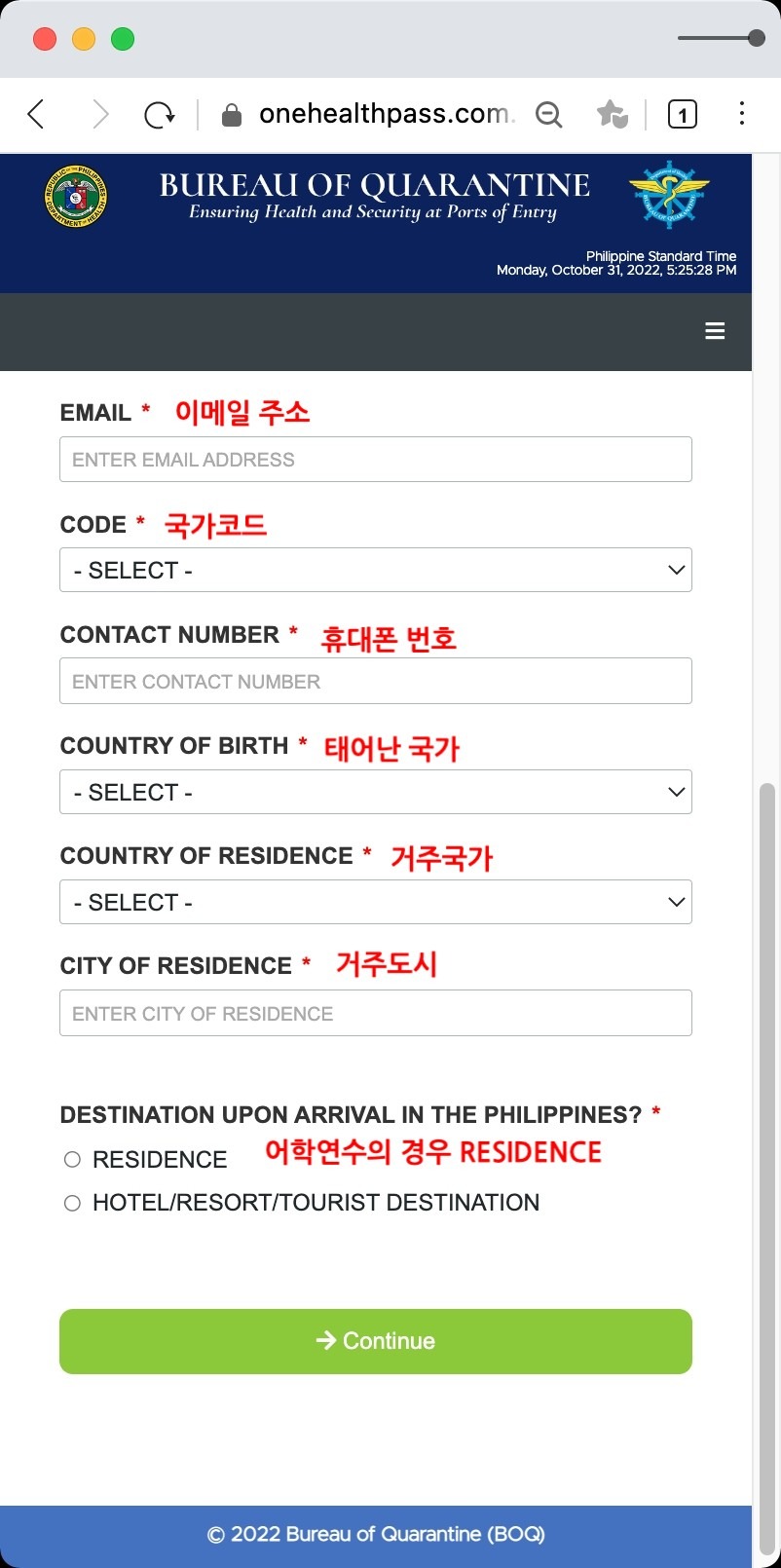
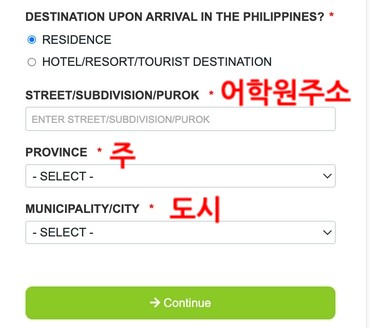
5. Enter personal information
・For language study: select RESIDENCE
・For sightseeing: select HOTEL
・For the language school's address, enter an address ending in “ST” or “RD” in the STREET field
・In the PROVINCE field, enter the city name (e.g., Cebu, Clark, etc.)
・In the CITY field, enter the city name listed in the address
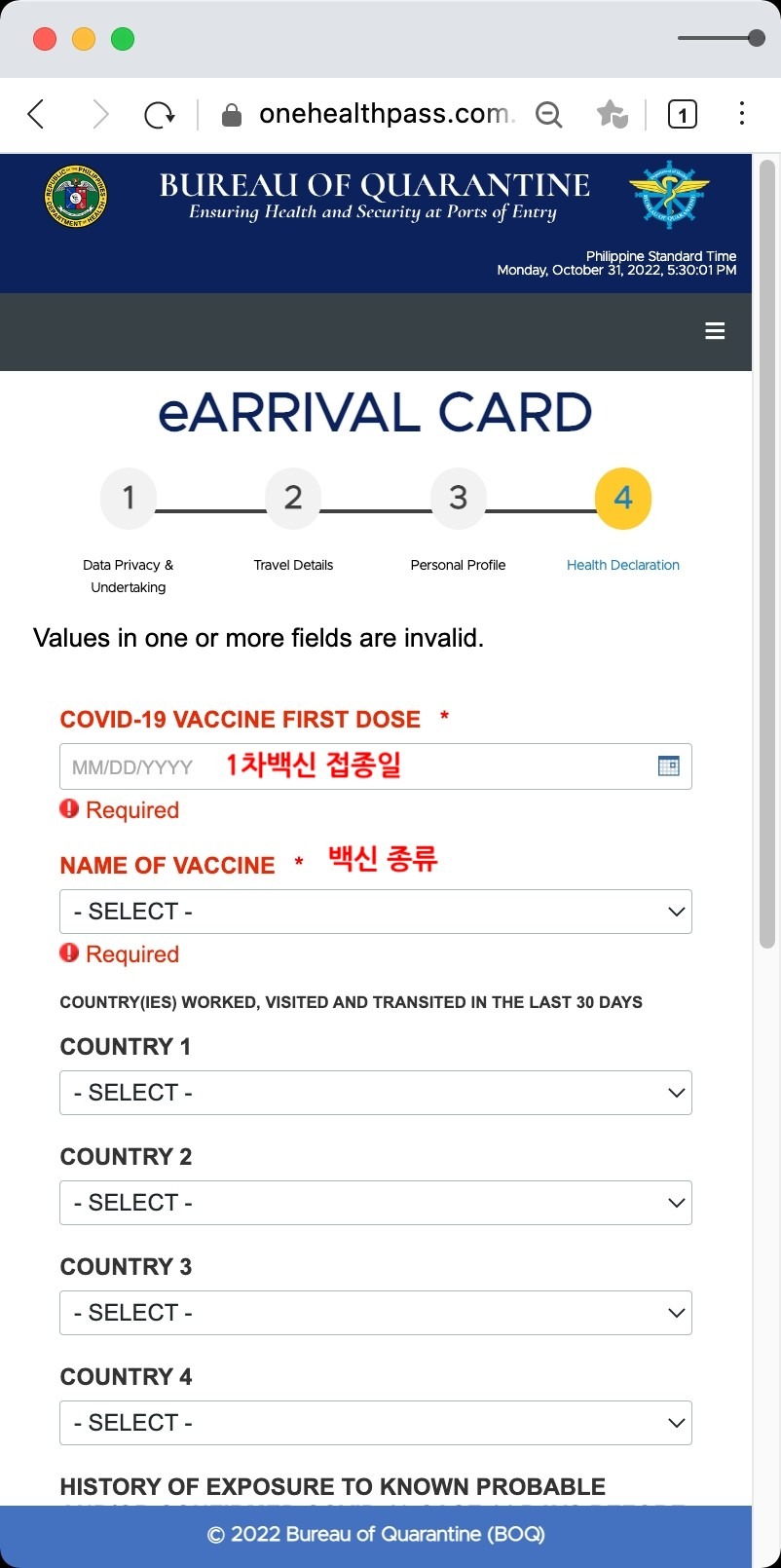
6. Vaccination confirmation
・If you have received 2 doses of the vaccine, you must upload a negative test certificate
・Upload the negative certificate after a PCR test or antigen test
・For health-related questions, select “NO” for all that do not apply
7. Once everything is entered and submitted, a QR code will be issued
・No need to print
・You can use a screenshot of your smartphone or computer screen
Above, we explained how to create the newly changed eARRIVAL CARD.
Travel-related regulations may change at any time, so please check the latest information and prepare with plenty of time to spare.
Awork Academy is currently recruiting for the 2023 Philippines English
Camp with a systematic curriculum and rich content.

Start Your Consultation Today
Our expert counselors will recommend the right school and program for you.
Free Consultation